
FlooGoo FMA121 — LE Audio / Auracast™ Transmitter/Receiver
Stream audio from your phone, laptop, TV, or other devices with the FMA121. Featuring both USB-C and 3.5 mm inputs, it connects easily to a wide range of sources.
Powered by LE Audio technology, it supports unicast and Auracast™ broadcast modes, ensuring seamless compatibility with Bluetooth headsets, speakers, earbuds, and hearing aids. It also supports the aptX™ codec family—including Classic, HD, Adaptive, Lossless, Voice, and Lite variants—delivering high-fidelity music, low-latency gaming, and clear voice calls when used with compatible devices.
The FMA121 can function as either an Auracast™ transmitter or receiver, depending on the installed firmware.
Official Auracast™ Qualification (Bluetooth SIG)
Deployed at Gates A16/A17 at Frankfurt Airport (the world’s first airport to deploy Auracast for public announcements)
Read Sittig’s announcement
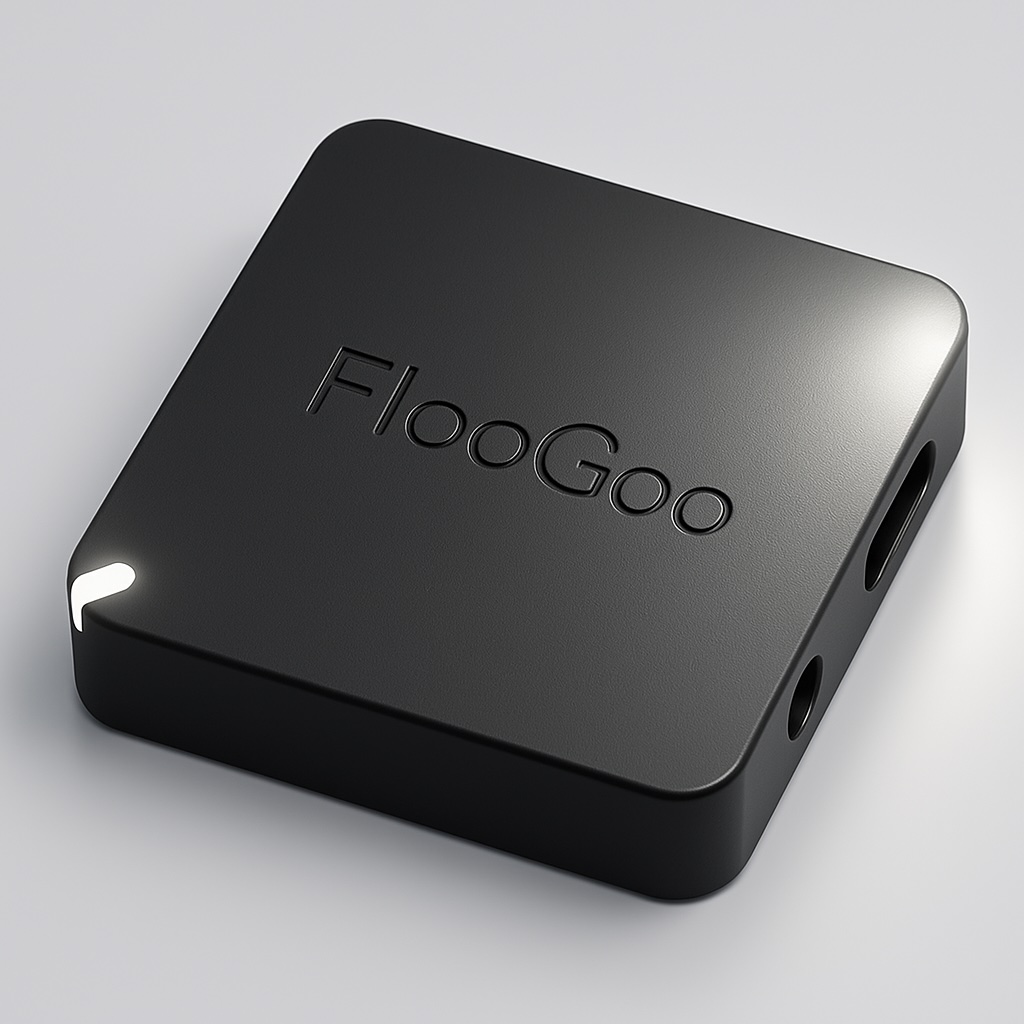
One adapter for all — phone, PC, TV, soundboard, or enterprise AV systems.
Guides & Contact
User Guide: Auracast Receiver (PDF)
User Guide: Church Setup (PDF)
For setup, operation modes, and troubleshooting.
Contact us for support or assistance with using FMA121.
We’re happy to help with configuration for venues and accessibility deployments.
Host Apps
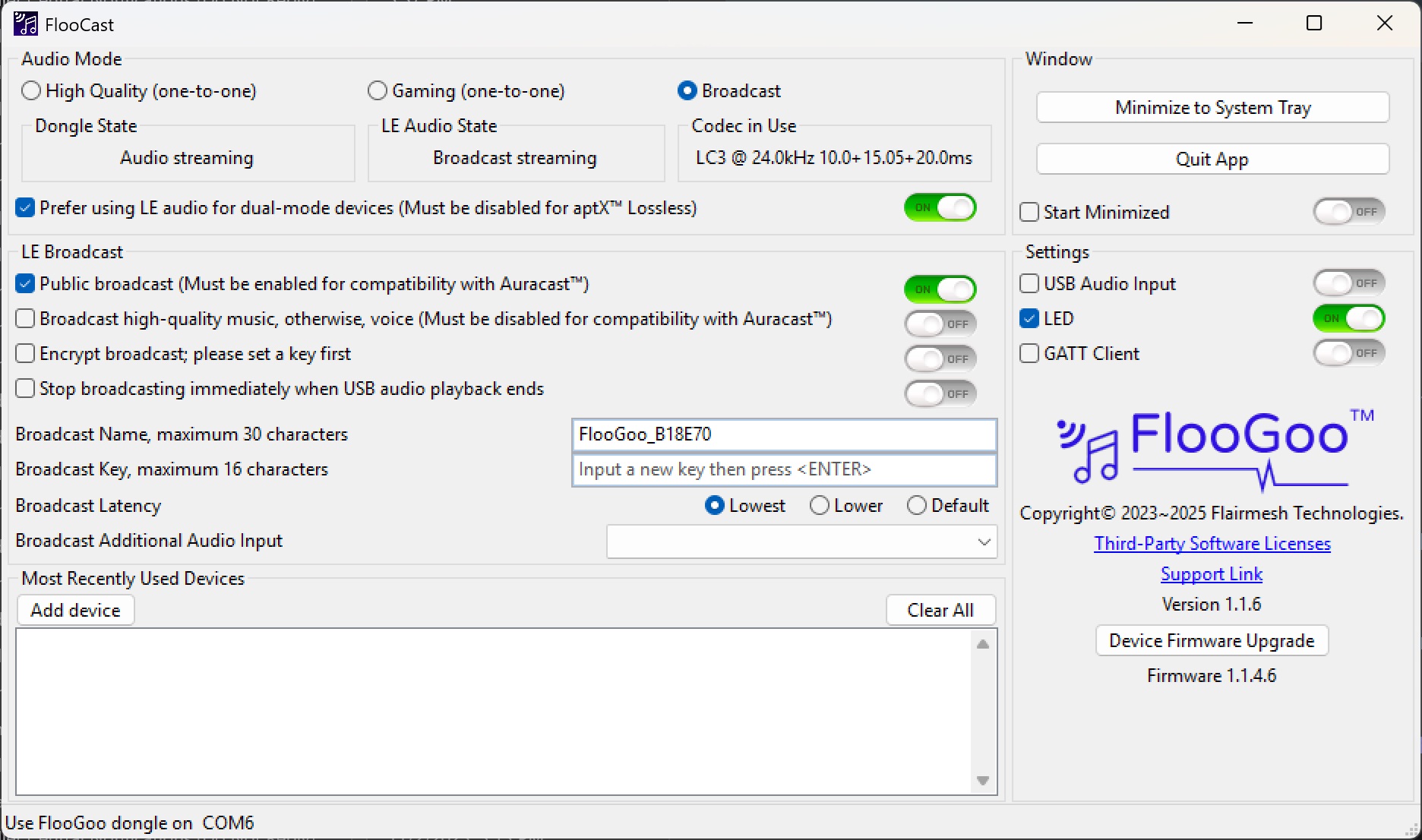
Auracast with configurable latency
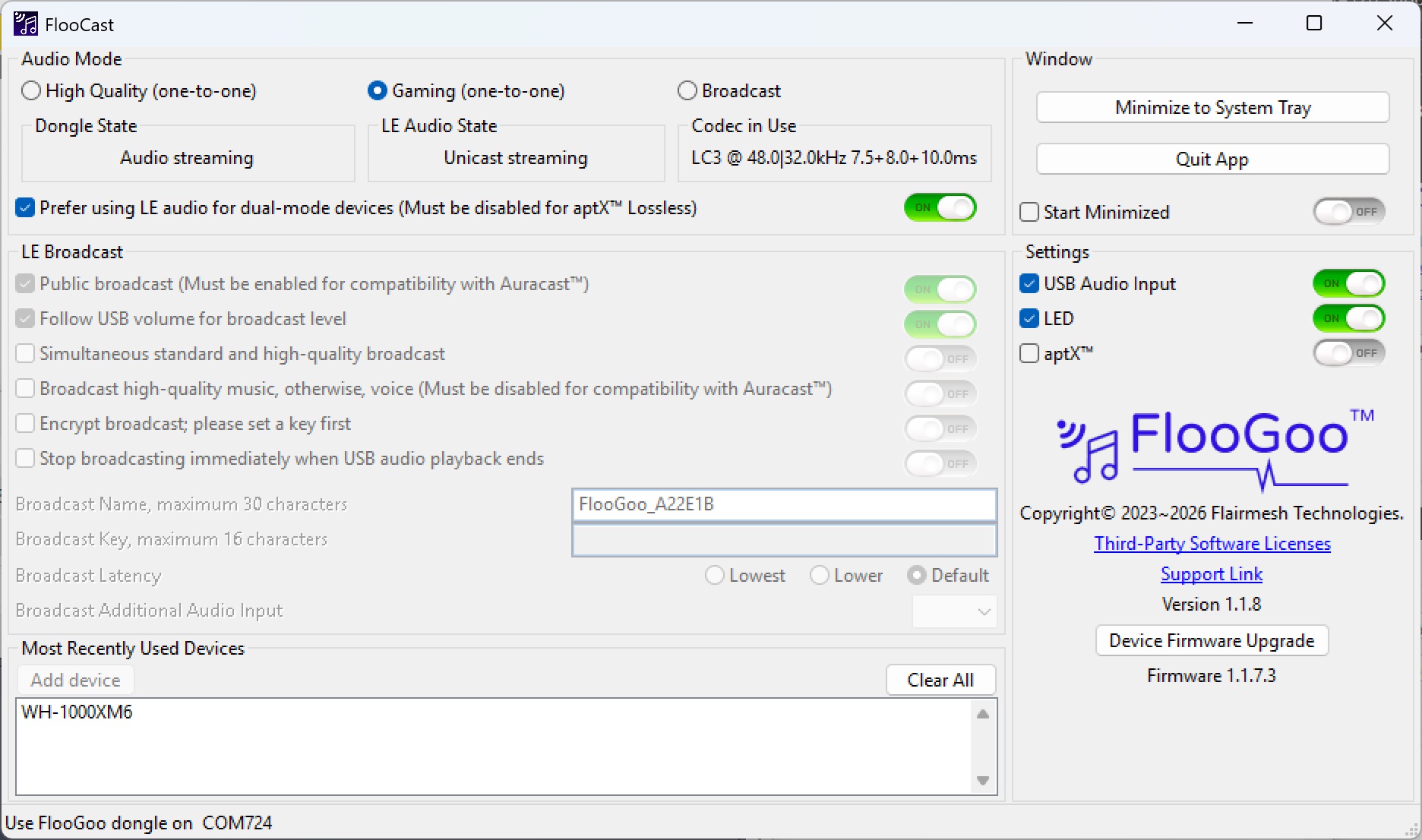
FMA121 Streams Low-Latency Two-Way LC3 Audio to Sony WH-1000XM6
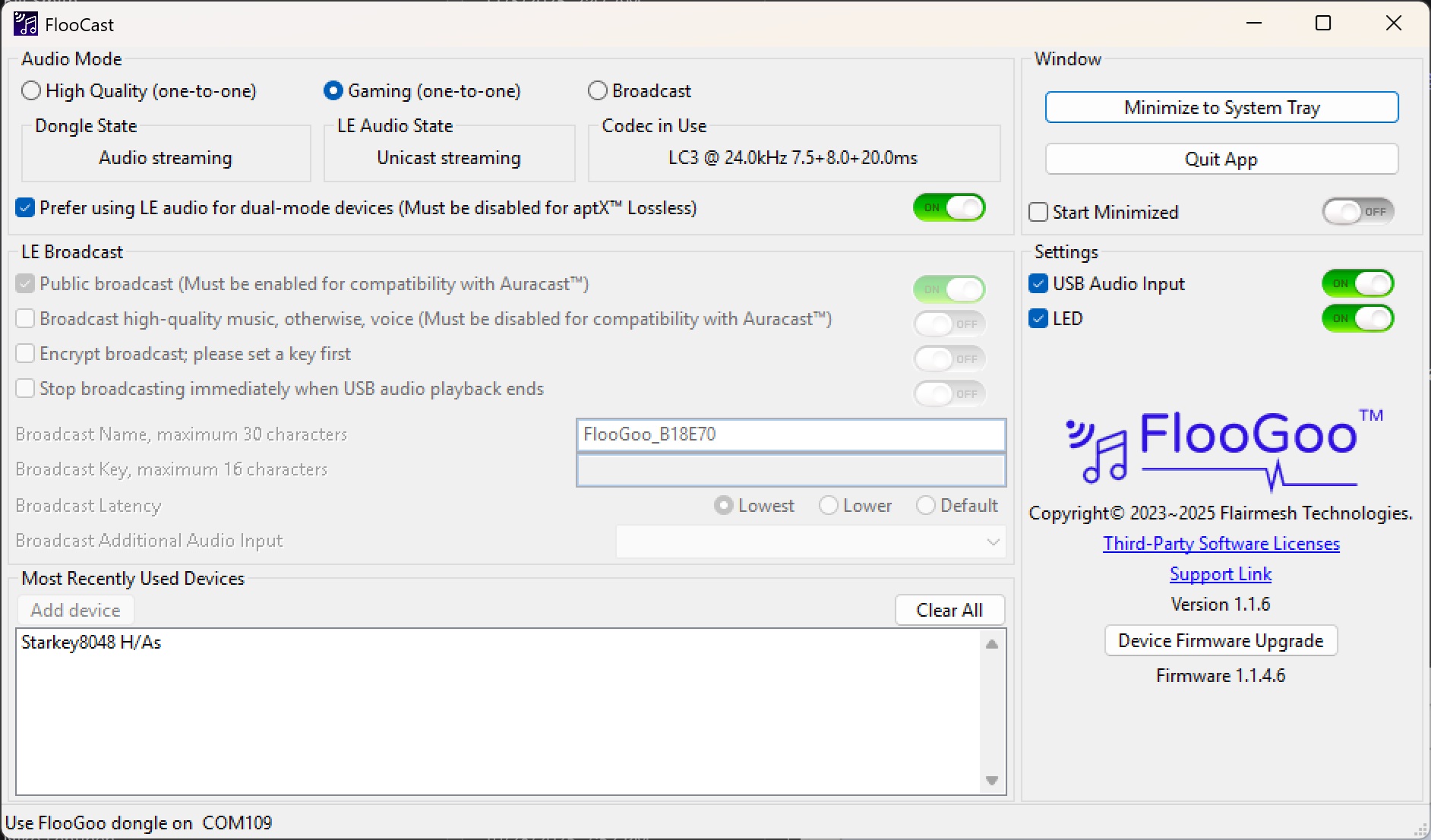
FMA121 streams low-latency LC3 audio to Starkey Edge AI
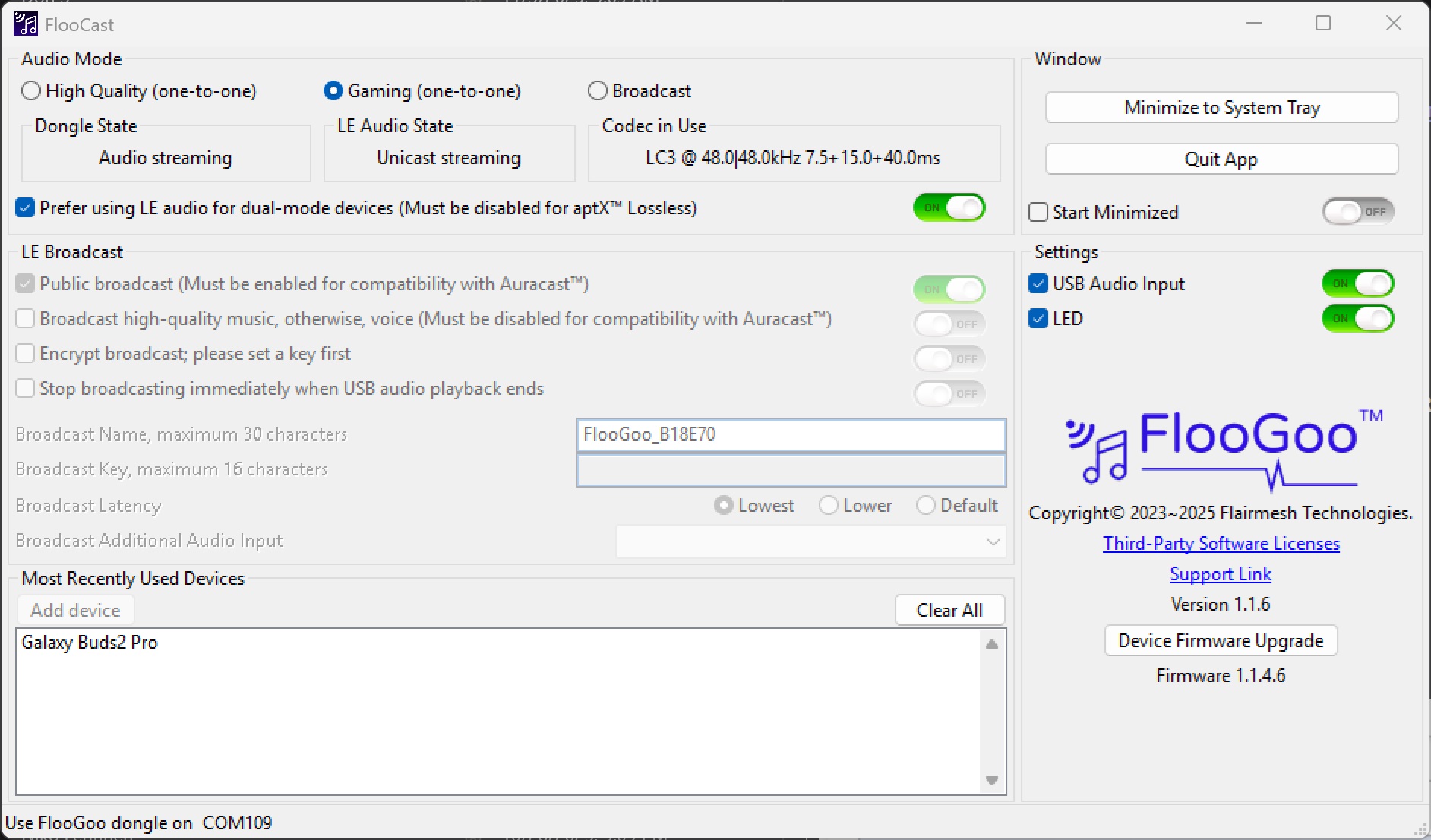
FMA121 streams CD-quality LC3 audio with Samsung Buds2 Pro during online calls
FlooCast configures the FMA121 for high-quality A2DP streaming, low-latency gaming, and LE Audio features such as Auracast™ broadcast. It can display the active Bluetooth codec during streaming/broadcasting and provides firmware update tools.
Firmware Updates
FMA121 shares the same firmware as FMA120, please read the README.txt inside each zip before updating.
- Note 1: Download firmware to a local folder (not OneDrive/other cloud) to avoid update issues.
- Note 2 (Asian users): Ensure the full path to the firmware folder uses only English characters.
- Note 3: There are two .bin files included in the main release. You can choose either one — the FlooCast app will automatically apply the correct firmware for your device. Please do not rename the .bin files.
Versions
- 1.1.7.8 — Fixed an issue that prevented the microphone from working with ReSound hearing aids after they were updated to firmware version 10.62.1.
- 1.1.7.5 — Fixed a stability issue that could occur when the Bluetooth connection was disconnected while the microphone was in use.
- 1.1.7.4 — Improved reconnection stability with nwm DOTS and aptX Lite compatibility with Xiaomi Buds 5 Pro and similar earbuds (enable Extended Delay to resolve noise issues).
- 1.1.7.3 — Optimized GMAP performance for Sony WH-1000XM6 (firmware 3.1.5). Resolved the playback quality issue when the microphone is enabled. Before upgrading, switch the audio mode to "High Quality". After the update is complete, switch it back to "Gaming".
- 1.1.7.2 — Added 48kHz playback support with microphone enabled for Sony WH-1000XM6 (firmware 3.1.5). 1.1.7 — Main release for both G and non-G variants.
- 1.1.6.7 — Added support for manufacturer-specific data in Auracast advertisements. Enables compatible receivers to identify and filter broadcasts using vendor-defined data. See the “BF” command in the BAI manual for details.
- 1.1.6.6 — Fixed compatibility issues with Starkey hearing aids running firmware version 10.3.1; Resolved an issue affecting Samsung Galaxy Buds4 Pro; Allow selecting between aptX and LC3 when operating in LE Audio mode.
- 1.1.6.5 — Enable true wireless stereo support for Auracast speakers. To use this feature, please enable both “Simultaneous standard and high-quality broadcast” and “Broadcast high-quality music.”
-
1.1.6.4
— A special version without a mic interface, suitable for:
A. Phonak users, enabling use of the phone’s microphone during calls.
B.
Sony WH-1000XM6 with PlayStation 5.Please use firmware version 1.1.7.3 or later for this use case. - 1.1.6 — Improved simultaneous high-quality and standard-quality broadcast streaming. Improved performance for lower and lowest broadcast latency settings.
- 1.1.5.9 — Enabled simultaneous high-quality and standard-quality broadcast streams. Enabled volume control when broadcasting USB audio.
- 1.1.5.8 — Fix a bug that prevents the FMA121 COM port from being detected on Linux.
- 1.1.5 — Improves stability of mode switching.
- 1.1.4.6 — Initial release of FMA121.
Multi-channel Auracast™ Transmitter
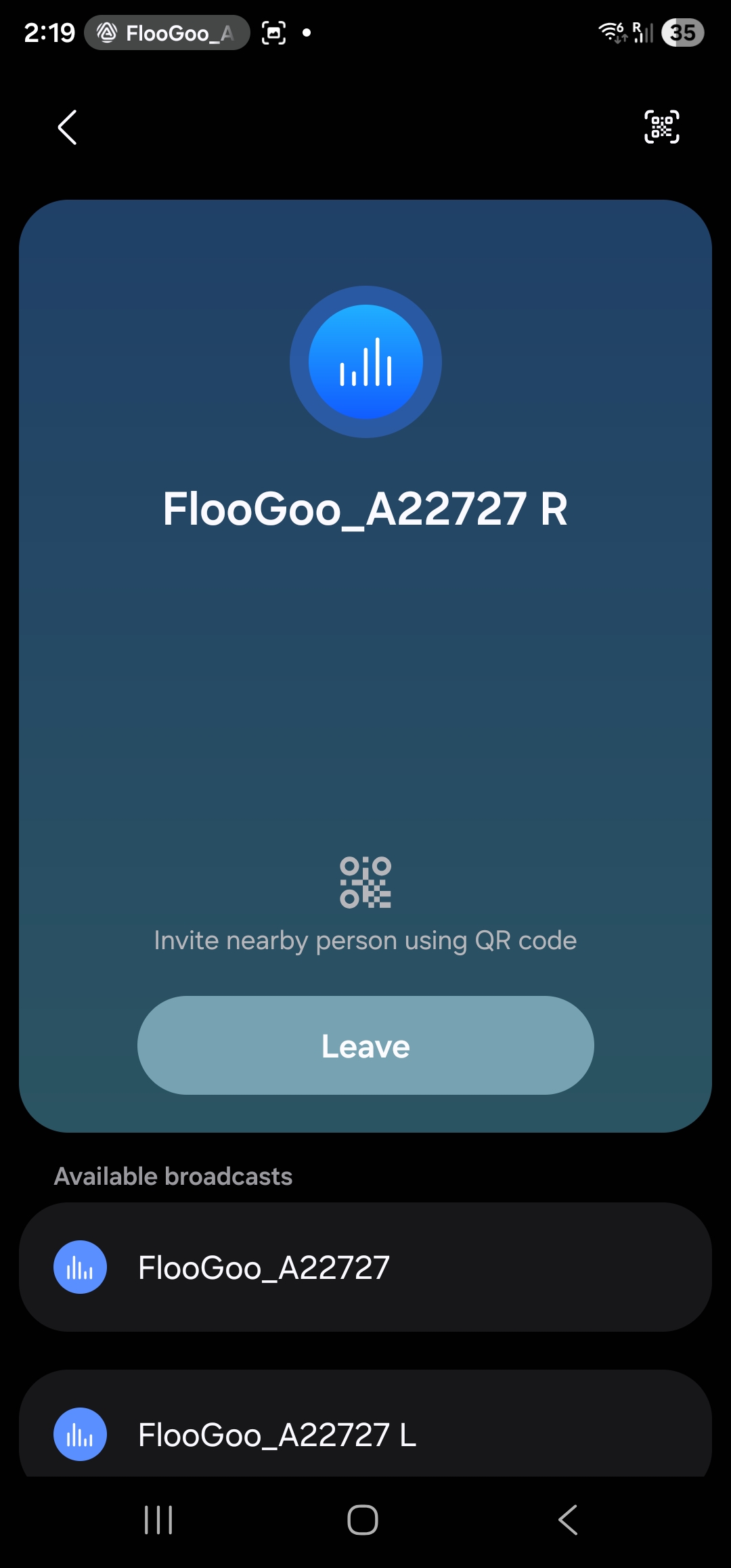
If you are looking for an Auracast™ transmitter that can send left and right audio channels separately to two independent Auracast speakers to create a true wireless stereo system, the FlooGoo FMA120/FMA121 is an ideal solution.
In addition to the dedicated left (L) and right (R) channel broadcasts for speakers, the device also provides a separate stereo broadcast compatible with earbuds, headphones, and hearing aids.
All three broadcasts are precisely synchronized, ensuring a seamless listening experience for all users.
Auracast™ Receiver
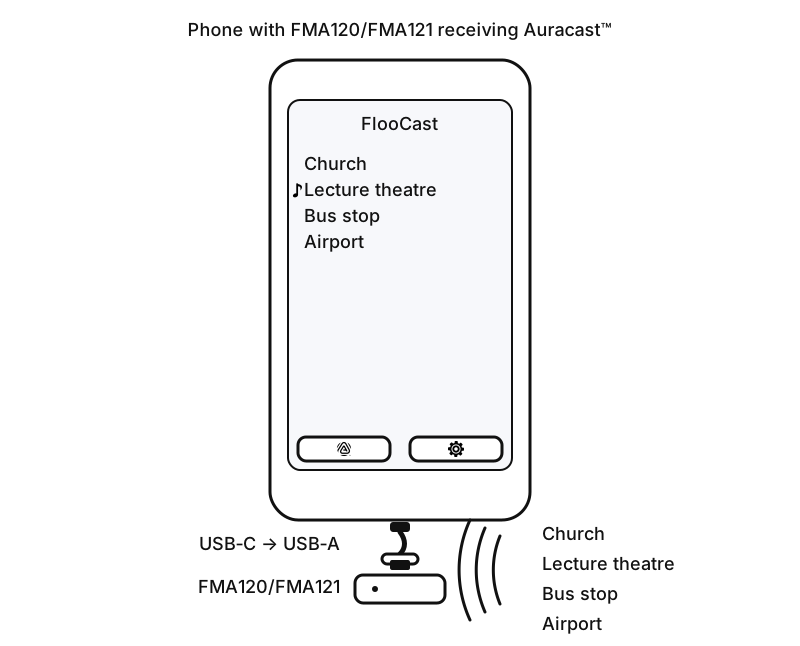
The FMA121 can transform your mobile phone/PC into an Auracast receiver: listen to nearby public broadcasts on your phone/PC’s speakers or forward to Bluetooth devices (headsets, earbuds, speakers) — even legacy hearing aids without native Auracast support.
User Guide: Auracast Receiver (PDF)
Prepare your FMA120: Update firmware
Update your FMA121 to the latest Receiver-mode firmware. Important: If you’re switching from transmitter to receiver firmware, run “Clear All” first to remove all previous pairings and avoid connection issues.
- AS1.1.0 — Latest firmware version for use with FlooCast (mobile) and FlooCatch (desktop).
Receive on your phone
Receive Auracast on iOS or Android and forward to connected Bluetooth devices, including hearing aids.


Receive on your PC
Use your PC as an Auracast receiver. Plug in the FMA121 (receiver-mode firmware), install FlooCatch for your platform, and start listening instantly.
Auracast™ Microphone
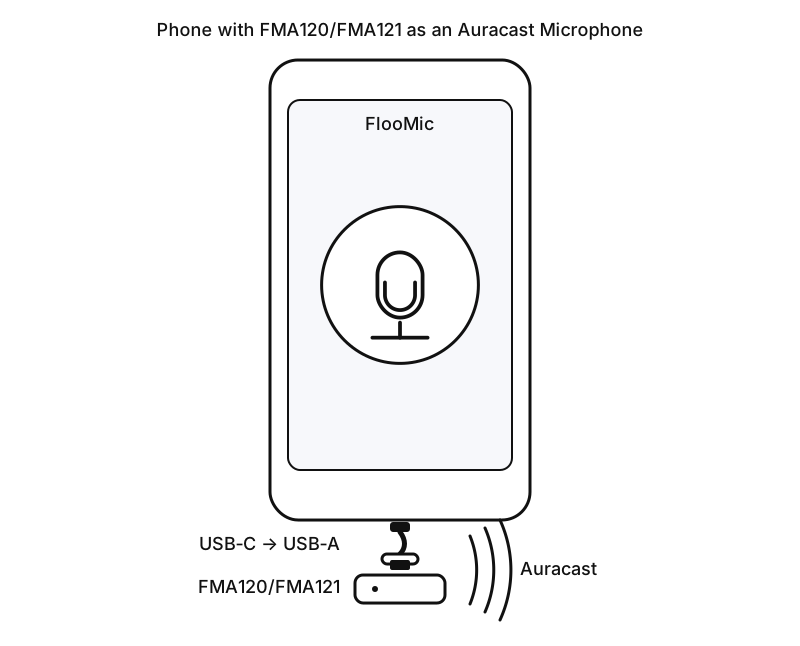
Turn phones into Auracast Microphone
Important: Please enable USB Audio Input before plugging it into your phone. You can also set Broadcast Latency to "Lowest" for the best real-time performance.
Then plug the FMA121 into your phone, open the FlooMic mobile app, and start speaking - your voice will be broadcast via Auracast. The app captures your voice and FMA121 broadcasts it as an LE Audio Auracast stream that any compatible listener can join—no pairing, just join the broadcast.
- Perfect for ad-hoc classes, campus tours, small talks, gyms, and quick stand-ups.
- Low-friction “plug-and-talk” setup; on-screen mute/level (UI may vary).
- Works with any Auracast-capable earbuds, speakers, or assistive listening receivers.
Features & Certifications
| Radio | Class 1 Bluetooth v5.4, +15 dBm BR/LE TX power, −97 dBm BR and −100.5 dBm BLE 1M sensitivity |
|---|---|
| Profiles | Dual-mode: works with Bluetooth Classic HFP/A2DP and LE Audio (Auracast/PBP, TMAP) |
| Codecs | SBC, LC3, aptX™, aptX HD, aptX Adaptive, aptX Adaptive Lossless, aptX Voice/Lite |
| USB | USB-C port; composite device (HID + virtual COM); audio/play/voice control from BT headsets/earbuds |
| 3.5 mm Jack | Stereo audio input, max 0.85 Vrms, compatible with common headphone outputs. |
| LE Audio | Gaming mode with Voice Back Channel; Unicast Music (MCP) & Unicast Voice (CCP); Broadcast (PBP/TMAP) |
| Controls | Volume via VCP |
| Latency | LE Audio Gaming mode: 15 ms ~ 25 ms (excluding decoding delay in receiving devices) |
| Power consumption (LED off; +4 mA when LED on) | LE Audio Unicast: 10 mA (48 kHz) / 8 mA (24 kHz); Auracast: 18 mA |
| Compatibility | Microsoft Teams compatibility |
| Size / Weight | 32 × 32 × 7 mm; 7 g |
| IDs | Bluetooth DID: D065940; FCC: 2A22WFMB120 ; Giteki ID: 204-B01105; CE • RCM • RoHS |